
Replay Workflow Engine
The Hop replay workflow engine runs a workflow locally, like the local engine, and skips an action when a sealed Replay Gate for the source execution still matches.
Other engines record those gates and do not skip. A Replay run that finishes successfully deletes the gates for that execution.
Options
This engine adds two fields to the local workflow run configuration.
| Option | Description |
|---|---|
Source execution ID |
Optional execution id whose sealed gates are read and updated. Leave it empty to use the variable |
Start action name |
Optional, case-sensitive action name. That action runs even when its gate is sealed, and the rest of its path runs too. Earlier actions are still restored when their gates match. An earlier action without a matching gate runs, and then the rest of that path runs as well. |
Make this workflow transactional |
Same as the local engine. One database connection is used per database, and Hop commits or rolls back at the end of the workflow. |
Safe mode |
Same as the local engine. Hop checks that rows passed through pipelines launched by this workflow keep a single layout. |
Creating a run configuration
-
In the Metadata perspective, create a Workflow Run Configuration.
-
Choose Hop replay workflow engine.
-
Optionally set an Execution Information Location.
-
Save.
The saved copy of a Replay run configuration keeps Source execution ID and Start action name.
Running
-
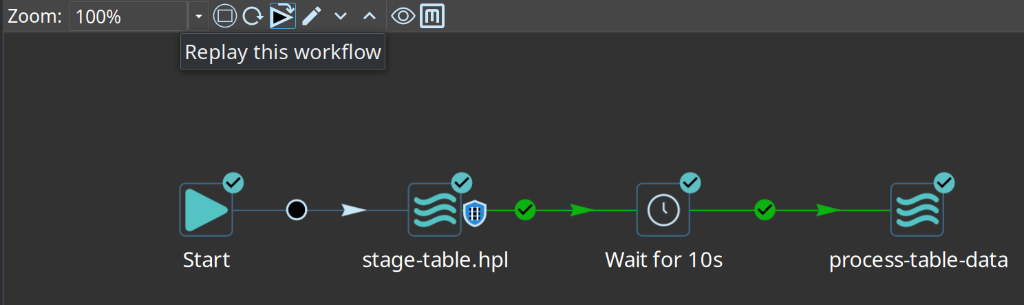
Execution perspective: open a workflow execution and click Replay this workflow.
-
Hop Run: pass the run configuration name with
-r. SetHOP_REPLAY_SOURCE_EXECUTION_IDto the failed run’s id when you do not want to store that id in the run configuration.bash./hop-run.sh -j my-project -e dev -f workflows/main-workflow.hwf -r replay