
Native Spark Pipeline Engine
Overview
The native Spark pipeline engine executes batch Hop pipelines on Apache Spark 4.1.x without Apache Beam.
It builds a Spark SQL Dataset graph from the pipeline and runs transforms via native Dataset operators or generic mapPartitions mini-pipelines.
For a full introduction — concepts, local[*], fat jar, spark-submit, Spark File I/O, ${Internal.Transform.ID}, metrics, limitations, and integration-test examples — see
Getting started with the native Spark pipeline engine.
Paths on Spark File and Lake Table transforms are Spark/Hadoop URIs, not Hop VFS schemes — see Paths and file systems on native Spark.
This page is not the same as Beam Spark, which runs Hop over the Apache Beam Spark runner (Spark 3.5.x line).
Requirements
-
Java 21
-
Spark 4.1.x (bundled under
plugins/engines/spark/libforlocal[*])
Options
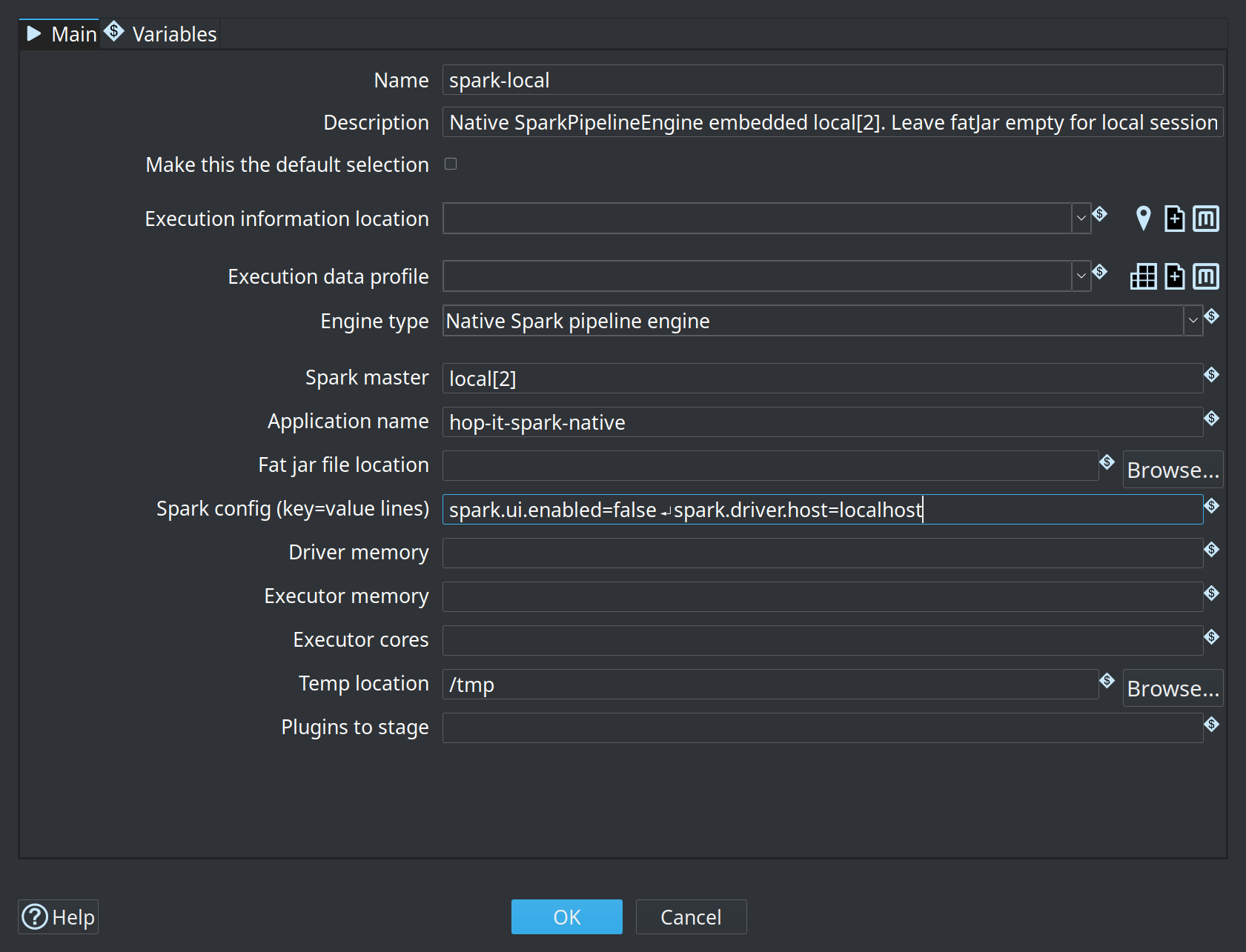
Load configuration template
Use Load configuration template to fill the fields below from a common deployment style:
-
Local execution —
local[*], Spark UI off (embedded Spark in Hop) -
Local (capped cores) —
local[4] -
Spark standalone server —
spark://host:7077(replace host), sample driver/executor memory. Also set Fat jar file location to anative-providedfat jar; the template leaves it empty. See Local standalone cluster. -
spark-submit (cluster) — master empty so
spark-submit --masterwins; use anative-providedfat jar. Outsidespark-submit(Hop GUI,hop-run, Hop Server) an empty master runs onlocal[*]in that process, and the log warns about it. -
Databricks — submit-oriented placeholders (master empty); set workspace-specific values yourself
-
YARN client — master
yarn, client deploy mode. Also set Hadoop configuration folder (orHADOOP_CONF_DIR) and anative-providedfat jar. See Run native Spark pipelines on YARN. -
Lakehouse local — same as local; Delta/Iceberg connectors live on the plugin classpath
Templates replace the current engine options after confirmation when the form already has custom values. The form fields update immediately after you apply a template. Edit values afterward as needed.
For named Iceberg/Delta catalogs used by Lake Table transforms in TABLE mode, see Lakehouse catalog (Load catalog template).
| Option | Description | Default |
|---|---|---|
Spark master |
Spark master URL: |
|
Application name |
Spark application name. |
|
Fat jar file location |
Optional Hop fat jar staged for executors when Hop starts the Spark session. Leave empty for pure |
|
Hadoop configuration folder |
Folder with the Hadoop client configuration ( |
|
Spark config (key=value lines) |
Additional SparkConf entries, one |
|
Driver memory |
|
|
Executor memory |
|
|
Executor cores |
|
|
Temp location |
Directory for temporary files. |
JVM temp dir |
Plugins to stage |
Optional comma-separated plugin folders to stage on the cluster. |
|
Path scheme map ( |
Optional URI scheme rewrite for Spark File / Lake PATH only (e.g. |
|
Generic transform run mode |
Default for Hop transforms that run as |
|
Also configure Execution information location and Execution data profile on the run configuration main tab when you want GUI metrics history and row samples.
Generic transform run mode and per-transform override
Most classic Hop transforms (including Workflow Executor, Pipeline Executor, and mappings) execute on Native Spark as generic mapPartitions work. When the input Dataset has many partitions, Spark can run that nested work on multiple executors at once. That is often desirable for pure row transforms, but nested workflows or other non-reentrant side effects may need a single place of execution.
-
Run configuration default — Generic transform run mode:
DISTRIBUTED(default) orDRIVER_ONLY. -
Per-transform override — right-click a transform → Spark Run Mode:
-
Inherit — use the run configuration default
-
Force distributed — always use
mapPartitionsacross partitions -
Force Driver Only — always run this transform’s mini-pipeline on the Spark driver
The override is stored on the transform (
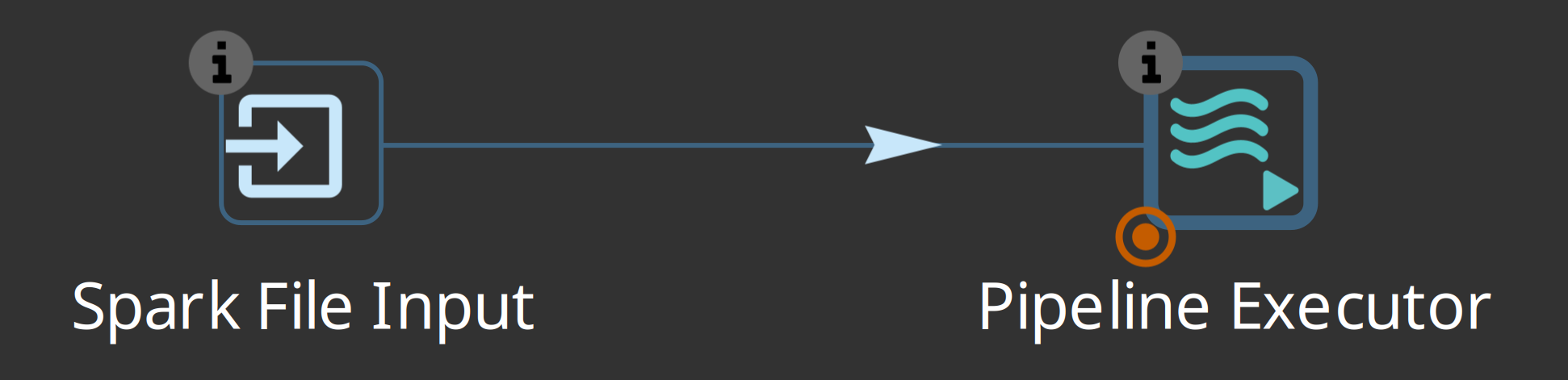
attributesgroupspark/ keyrun_mode) and is saved with the pipeline. When a force override is set, a small badge is drawn at the bottom-left of the transform icon.
-
Native Dataset handlers (Spark File / Lake Table, Memory Group By, Sort, Unique, Merge Join) ignore this setting.
|
|
Nested Native Spark pipelines (orchestrator pattern)
A parent Native Spark pipeline can start child Native Spark pipelines via Pipeline Executor (run configuration = Native Spark):
-
Put Force Driver Only (or run-config
DRIVER_ONLY) on the Pipeline Executor so children start on the driver. -
Each child reuses the parent
SparkSession(same Spark application) — it does not start a secondspark-submit. -
Parameterize the child with control keys (country, month, partition) for paths and filters.
-
Nested engines must not stop the shared session when they finish.
Do not run nested Native Spark executors under DISTRIBUTED mapPartitions on workers (no safe nested SparkContext). For multi-application isolation (separate Spark apps per key), use an external job launcher instead.
Demo: sample project spark-demo pipeline pipelines/03-run-pipelines.hpl (see Cluster demo walk-through).
Transforms not supported on Native Spark
Most classic Hop transforms run on Native Spark via native Dataset handlers or generic mapPartitions.
The list below is taken from each transform’s Supported Engines table (Native Spark = Not Supported).
When in doubt, open the transform page — that table is the source of truth.
For broader design limits (copy/distribute, streaming, Spark SQL, MLlib), see Getting started — Limitations and design rules.
Beam-only transforms
Use a Beam engine instead.
Barriers, stream ordering, and merge-style transforms
These rely on waiting for other transforms, full-stream ordering, or multi-stream merge semantics that do not map cleanly to a Spark Dataset graph.
-
Join Rows (cartesian product) — add the same constant field to both inputs and use Merge Join on that field instead
Sorted aggregation and hash-set unique
-
Group By — use Memory Group By (native Spark
groupBy) instead -
Unique Rows (HashSet) — use Unique Rows where possible
Workflow / pipeline result and control transforms
Result-row and result-file hops, injectors, and metadata injection are not supported as Native Spark graph nodes.
Other
-
Kafka consumer — no native Spark structured-streaming / Kafka Dataset I/O; use Beam Kafka transforms on a Beam engine for Kafka pipelines
Related
-
Lakehouse tables on the native Spark engine (Delta Lake / Apache Iceberg)