
Load-balancing Pipeline Engine
The load-balancing run configuration assigns one entire pipeline execution to one Hop Server from a group.
It does not split a pipeline’s transforms across machines. To process batches of rows on the pool, run a local pipeline that uses Pipeline Executor with this run configuration.
Each Hop Server in the group still needs a Hop Server metadata definition.
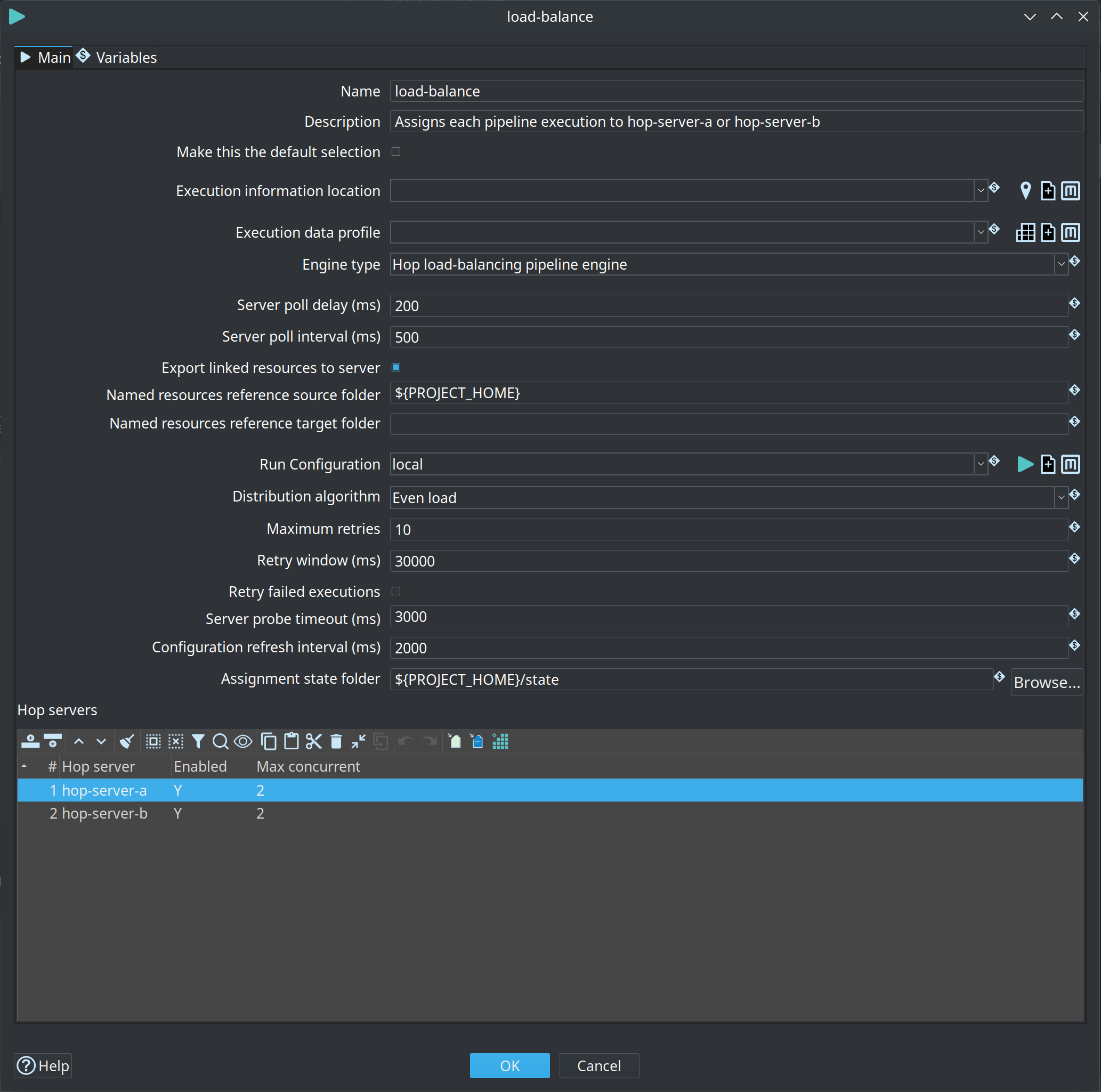
Options
The engine-specific options sit on three tabs under the selected engine type.
Management
| Option | Description |
|---|---|
Server poll delay / interval |
Same meaning as on the remote pipeline engine. |
Export linked resources |
Same meaning as on the remote pipeline engine. |
Load-balancing
| Option | Description |
|---|---|
Run Configuration |
The configuration to use on the selected Hop Server (usually a local engine on that server). Do not point this back at the load-balancing configuration or you get a cycle. |
Distribution algorithm |
Even load targets the same utilization on every eligible server. Keep as few servers busy as possible (pack) fills busy servers first so idle ones can be disabled and turned off. |
Maximum retries |
How many extra times to try another server after a submit or capacity failure. |
Retry window (ms) |
Stop retrying after this many milliseconds from the first attempt.
|
Retry failed executions |
Off by default. When enabled, also retry if the remote pipeline runs and fails (side effects possible). |
Server probe timeout (ms) |
How long to wait for each server status check.
Default |
Configuration refresh interval (ms) |
How often to re-read this run configuration from metadata so enable/disable and max concurrent changes take effect without restarting the dispatcher.
Default |
Assignment state folder |
Optional VFS folder for assignment ledger files, for example |
Hop Servers
| Option | Description |
|---|---|
Hop servers |
Table of workers: Hop Server name, whether it may receive new work, and the maximum number of unfinished pipelines and workflows on that server. |
How a server is chosen
-
The engine re-reads this run configuration from metadata.
-
It probes every enabled server (status, load, occupying executions, graceful shutdown).
-
Servers that are down, shutting down, disabled, or already at max concurrent are skipped.
-
The algorithm picks one eligible server.
-
The pipeline is registered with
max_concurrentso the server itself refuses the work if it is already at capacity (SERVER_AT_CAPACITY). -
On capacity or connectivity failure the engine retries another server until the retry budget is exhausted.
Draining a server
-
Set Enabled to
Nin this table (picked up on the next configuration refresh), and/or -
Shut the Hop Server down gracefully so it reports
shuttingDownand refuses new work.
Use the pack algorithm if you want idle machines to stay empty so they can be turned off.
Kubernetes
-
Hop-aware pool: one Hop Server metadata object per pod (or StatefulSet DNS name). Then even-load, pack, disable, and max concurrent work as described above.
-
A Kubernetes Service in front of several pods as a single remote Hop Server is still possible. That is L4 round-robin from kube-proxy, not Hop-aware load balancing.