
Relational Database Connection
Description

Describes all the information needed to connect to a relational database.
Hop supports tens of relational databases out of the box. If your specific database doesn’t have built in support, you’ll probably still be able to connect with the Generic database connection.
Check the list of databases for more details.
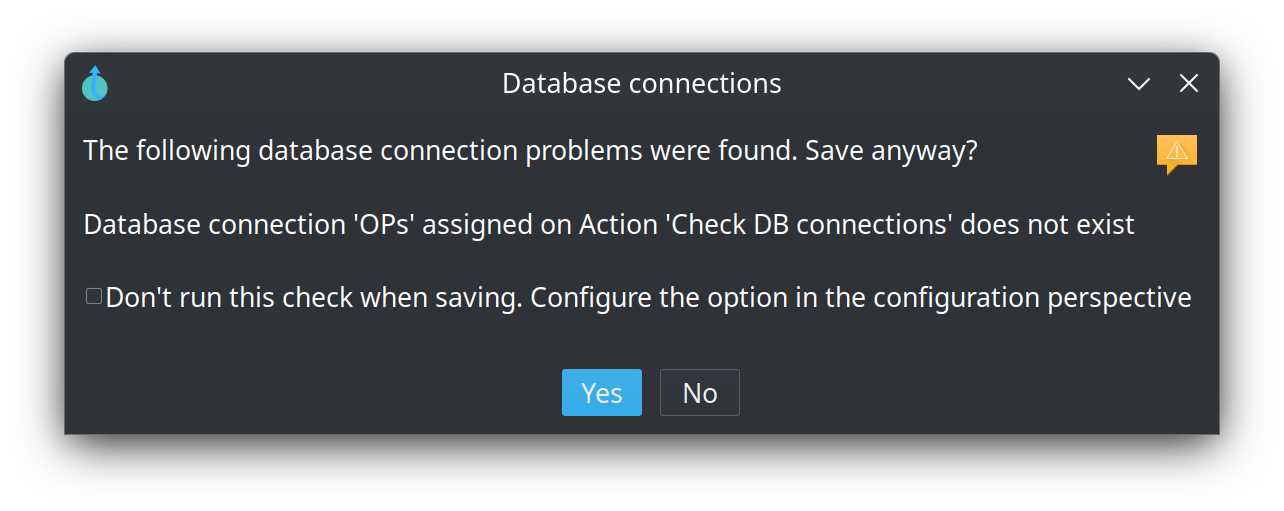
Transforms and actions store the name of a relational database connection. When you save or Verify a pipeline or workflow, Hop warns if that name is not in the project metadata. You can still save. If the name still contains a variable such as '${CONNECTION}' after the current environment is applied, the check is skipped because the name cannot be decided at design time. This does not open a JDBC connection; it only looks the name up in metadata. The warning dialog can turn the check off, or you can disable it under Configuration → Plugins → File validation.
The connection editor has Explore (the classic table picker) and Open in Database (the Database perspective, to browse schemas and run SQL). From that perspective, Edit connection opens this metadata editor.
Related Plugins
Actions:
Transforms:
Options
The options describe below are for the Generic database connection.
The options for your selected database depend on the database vendor and/or engine.
General
| Option | Description |
|---|---|
Connection name |
the name to use for this connection |
Connection type |
the description to use for this connection |
Username |
|
Password |
|
Driver class |
classname to use for this connection. This is usually only needed for generic connections. There shouldn’t be a need to specify if your select a specific database engine. |
Manual Connection URL |
This is usually only needed for generic connections. There shouldn’t be a need to specify if your select a specific database engine. |
Advanced
| Option | Default | Description |
|---|---|---|
Supports the Boolean data type |
true |
|
Supports the Timestamp data type |
true |
|
Quote all identifiers in database |
||
Force all identifiers to lower case |
||
Force all identifiers to upper case |
||
Reserve case of reserved words? |
true |
|
The preferred schema name |
||
The SQL statements to run after connecting (; separated |
Options
Specify a list of extra JDBC connection options as a parameter/value list.
Samples
None