
SMB Connection
Description
This metadata type registers a Windows or Samba file share as a named VFS connection.
The connection name is the URL scheme, for example finance:///reports/daily.csv.
The plugin talks SMB 2 and SMB 3 directly. Nothing is mounted on the operating system, and SMB1 is not used.
See SMB for how paths are written.
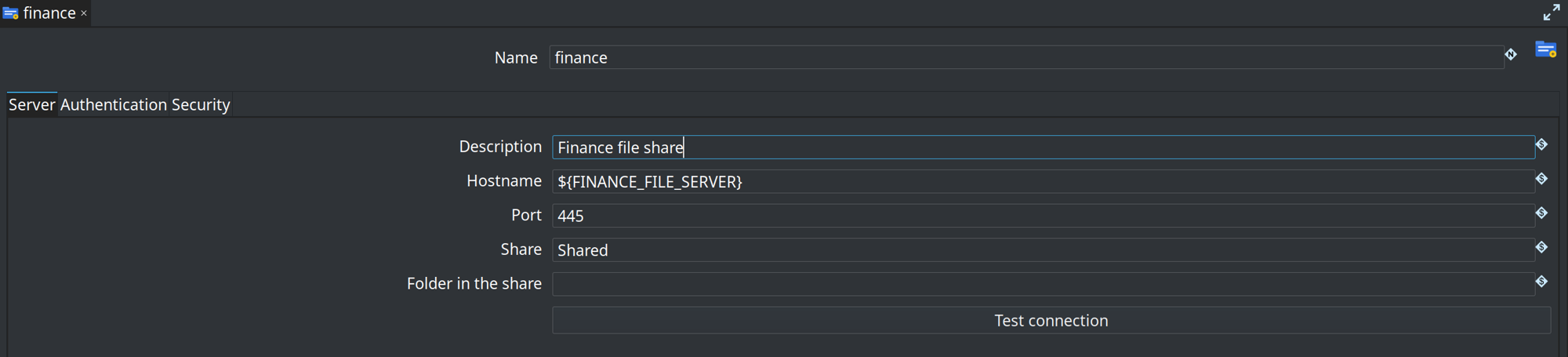
The name at the top of the editor is the URL scheme. The tabs are Server, Authentication, and Security. Test connection opens the share with the current settings.
Server
| Option | Description |
|---|---|
Description |
Optional note about this connection. It is not part of the URL. |
Hostname |
Server name. A variable such as |
Port |
TCP port. Default |
Share |
Share name, without a leading slash. |
Folder in the share |
Optional folder. Every path on this connection stays under that folder. |
Authentication
| Option | Description |
|---|---|
NTLM |
Username, password, and an optional NetBIOS domain. This is NTLMv2. A username of |
GUEST |
Ignores username and password. Current Windows has guest SMB2 access off by default. |
Kerberos is not available in this version. The connection type is the place it will be added.
The password is stored with Hop’s password encoder.
A variable such as ${SMB_PASSWORD} is resolved at runtime.
Security
| Option | Description |
|---|---|
Minimum SMB version |
Lowest dialect to offer. The client never goes above SMB 3.1.1 and never offers SMB1. |
Require SMB signing |
Refuse a server that does not sign. When this is off, the client still signs if the server requires it. |
Encrypt session |
Require SMB3 encryption. |
Follow DFS referrals |
Follow Distributed File System referrals. Leave off unless the share is a DFS root. |
Call timeout |
Read, write, and transact timeout in seconds. Default 60. |
Socket timeout |
How long the background reader waits for the next packet, in seconds. 0 waits until the server sends one or drops the connection. Leave this at 0. A positive value closes a quiet session. |